Live pixels for a tube TV
How a demoscene show for a PAL tube TV runs on a Raspberry Pi 1 from 2012, and how it was built by an AI that never saw the screen.
In brief
- The old tube TV at bitcircus101 shows a demoscene show computed live on a Raspberry Pi 1 from 2012: 17 scenes and two slide decks, 50 frames per second on one 700 MHz core, no help from a GPU, no image files anywhere.
- The hard part was not the effects but the video path: PAL instead of NTSC, 288 progressive lines instead of interlace flicker, and an overscan measured with a test card.
- The whole thing is one C program: a 360 × 288 canvas in 16-bit
colour, double-buffered into the Linux framebuffer with every pixel
doubled on the way, a sequencer with cross-fades, and scenes that are
files with two functions,
init()andframe(t). - Measured, not guessed: the sequencer logs the frame rate and the worst frame of every scene on the Pi, and a bench tool does the same off-line.
- The show was written by an AI over SSH, without ever seeing the screen. The tools that made that possible, an offscreen renderer, motion probes, a self-contained flipbook and a deploy that checks the show stays up, are the part worth copying.
- The same C code runs in the browser, compiled to WebAssembly, on the project website.
- Members steer the show over SSH:
ssh zapperis a remote control drawn in the terminal, every scene has a channel number, and scenes in C can be uploaded, built, test-run offscreen and swapped in with a rollback. The show runs in a sandbox, as a user that can do nothing else.
1. A tube TV and a Pi from 2012
bitcircus101 is a tech and creative space in Bonn. Somewhere in it stands an old tube TV, a Toshiba C-500, a five-inch portable colour set from the early 1980s with a telescopic antenna and a tuning scale on the front, and next to it a Raspberry Pi 1 Model B, the 2012 board with one ARM1176 core at 700 MHz and 512 MB of RAM. A composite cable connects the two. The TV is not a monitor; it is a television, with everything that implies: PAL, 50 half-pictures per second, overscan that hides the edges, and a slight softness that forgives a lot.
The idea was simple and a little stubborn: the TV should show something alive, and everything it shows should come from code. No video file, no slideshow of PNGs, no browser kiosk. A C program computes every pixel in real time and writes it into the framebuffer, the way a demo did on a home computer in the 1990s. Seventeen scenes loop forever: plasma, a tunnel, fire, a juggling clown, flower power, a synthwave horizon, a cathode ray tube in 3D that explains itself, Bernd das Brot bouncing like the DVD logo. Two slide decks, in German, explain how it all works, with live demos at the bottom of every slide.
The stubborn part is the rule that nothing is an image. The flipbook on the website, the figures in this paper, the show in the browser: all of it is rendered from the same source code at build time. If a scene changes, every picture of it changes with it.
2. The video path: composite, PAL, 288 lines
Colour first
The first picture was black and white. The Pi's composite output
defaults to NTSC, the TV expects PAL, and a PAL set that receives NTSC
colour shows a clean, grey picture without complaining. One kernel
parameter fixed it, appended to the single line in
/boot/firmware/cmdline.txt:
vc4.tv_norm=PALFlicker
The second picture flickered. A PAL television draws 576 lines as two interlaced fields, 288 odd lines, then 288 even lines, 50 fields per second. Fine text that sits on one field flickers at 25 Hz, which is exactly the kind of text a console shows. The fix is to give up the second field: the Pi drives the TV with 288 progressive lines at 50 Hz, every frame complete, no flicker, and a picture that is still every bit as sharp as a tube can show.
video=Composite-1:720x288@50The edges
A tube hides its edges behind the bezel, and no two sets hide the
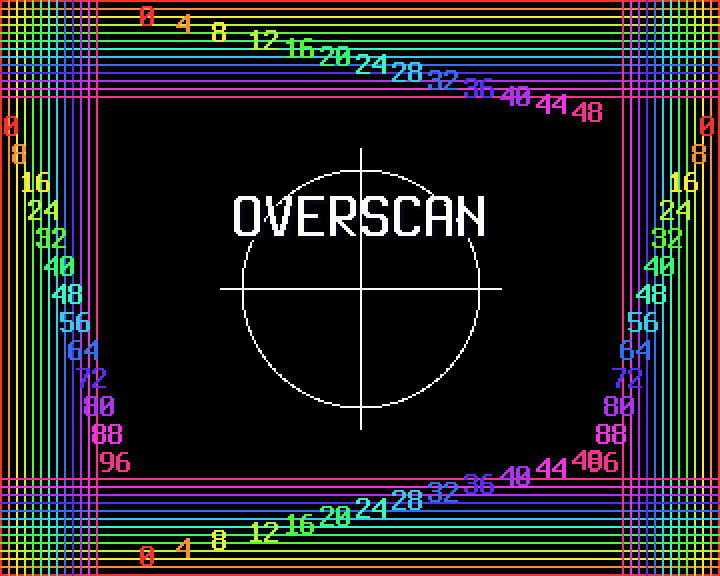
same amount. The testcard scene draws numbered lines along
every edge: left and right numbers count framebuffer pixels, top and
bottom numbers count lines. Someone stands in front of the TV, reads the
first fully visible number on each edge, and those four numbers become
the margins:
margin_left=56,margin_right=40,margin_top=16,margin_bottom=20The GPU then scales the whole picture, the Linux console included, into the visible area. The program never has to know about overscan at all.
Into the framebuffer
There is no X server and no window. A systemd unit starts the program
on tty1 at boot. The program opens /dev/fb0,
checks that the framebuffer really is 720 × 288 at 16 bits per pixel and
refuses to run otherwise, maps it into memory, and switches the console
to graphics mode with KDSETMODE. On exit it clears the
screen and restores text mode, so the console is back when the show
stops.
3. Architecture: canvas, buffer, sequencer
A scene is two functions
typedef struct {
    const char *name;
    float dur;
    void (*init)(void);
    void (*frame)(float t, float dt);
    float (*length)(void); // optional, overrides dur after init
} Scene;
That is the whole interface. init() runs once when the
scene starts and precomputes whatever is expensive.
frame(t, dt) draws the picture for scene time
t into the canvas. A scene is one file in
src/scenes/, and a table in src/scenes.c lists
the seventeen scenes of the loop in play order and the extras that only
run on request: the two slide decks and the test card. The loop runs
just under three minutes, 176 seconds, before it starts again.
Fifty times a second
The sequencer in main.c is a loop with four steps: the
scene draws into the canvas, the fade scales the picture at the start
and end of a scene, the blit copies the canvas into the framebuffer, and
a sleep waits for the next 20 ms tick. The tick is an absolute time, not
a relative delay: the program computes when the next frame is due and
sleeps until then with clock_nanosleep and
TIMER_ABSTIME, so a frame that finishes early does not
drift the schedule. A frame that finishes late is followed by the next
one immediately, and only when the program falls more than 100 ms behind
does it give up and restart the schedule from now. The time step handed
to a scene is capped at 50 ms, so a hiccup never makes a particle jump
across the screen.
Every scene gets a line in /run/bc101/anim.log when it
ends: its average frame rate and its worst frame in milliseconds. Those
two numbers are the whole performance story of the show, and chapter 5
is about them.
One pixel becomes two
The canvas is 360 × 288 pixels, half the framebuffer's width. On the way out every pixel is written twice:
dst[x] = src[x] | ((uint32_t)src[x] << 16);Two 16-bit pixels fit in one 32-bit word, so the doubling costs one store per pair and the scenes do half the work. The doubled pixels are nearly square on a 4:3 tube, which is what the eye expects.
The scene never draws into the framebuffer directly. It draws into the canvas, and only a finished picture is copied over, in one pass, from top to bottom. That is double buffering, and it is why no half-finished frame ever reaches the tube.
Sixteen bits of colour
A pixel is a uint16_t in RGB565: five bits of red, six
of green, five of blue, 65,536 colours. Green gets the extra bit because
the eye distinguishes it best. The canvas is a flat array,
buf[y * 360 + x], and the helpers around it are the usual
small set: a pixel with bounds check, rectangles, lines, circles, rings,
text, and two colour helpers, one that adds two colours with saturation
and one that scales a colour by a factor from 0 to 256. The fades are
that second helper applied to every pixel.
Tables instead of maths
A sine per pixel, 100,000 times per frame, would eat the 20 ms budget
on its own. So the show does what demos in the 1990s did. A table holds
256 sine values; an angle is a byte, a full turn is 256 steps, and
& 255 wraps around for free. Two more tables, built
once at start, hold the angle and the distance from the screen centre
for every pixel. A tunnel or a kaleidoscope then needs no trigonometry
at all per frame: it looks up the angle and the distance and uses them
as coordinates into a texture.
Palettes are the second old trick. A scene like the plasma or the fire does not compute colours; it computes a small number per pixel and a palette translates numbers into colours. Shifting the palette changes every colour on screen at once, and the picture seems to move although not a single pixel value changed. The slide deck demonstrates this with a strip of numbers that stays put while the colours walk.
Fonts and text
The letters are Terminus, the Linux console font, in two sizes: 16 ×
32 bold for titles and 8 × 16 bold for body text. make
extracts them from the system's console fonts on the Pi, so the
repository carries no font files. The program reads the PSF files next
to the executable and maps Latin-1 code points to glyphs; the slide
decks are UTF-8 and are converted to Latin-1 on loading, which covers
German comfortably.
The slides are data
The two decks live in slides/*.txt. A line starting with
# begins a slide, a line starting with @ picks
the live demo strip at the bottom, a line starting with
> is code, everything else is body text that types
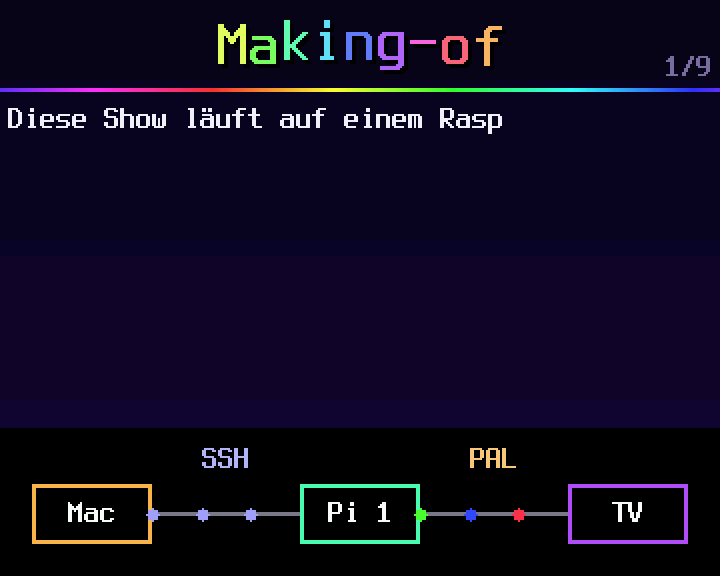
itself out. The demo strips are small scenes of their own: a pipeline of
boxes, a pixel buffer that shows how a one-dimensional array becomes a
two-dimensional picture, a heat buffer with its numbers visible, a
palette that cycles, and a CPU meter that reads the program's own usage
from /proc/self/stat once a second.
4. Scene techniques
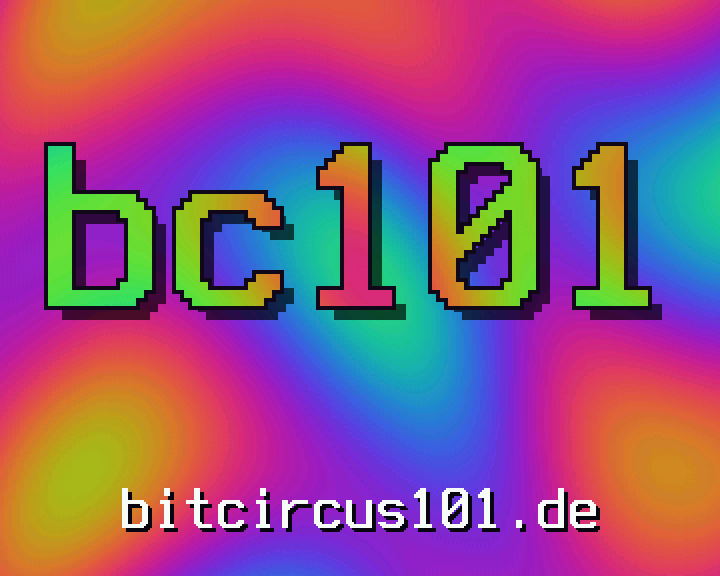
Plasma. Four sine waves, each a function of x, y and time, are added; the sum picks a colour from a palette that rotates. A huge "bc101" is cut out of the plasma with an inverted palette, an outline and a shadow.
Tunnel and kaleidoscope. The angle and distance tables turn the screen into polar coordinates. In the tunnel, angle becomes the u of a texture and distance becomes v, and advancing v with time flies the camera down the tube; "BC101" is stamped into the wall texture. The kaleidoscope folds the angle into eight wedges and mirrors every other one, with a spinning flower in the middle.
Fire. The fire is the one from the PlayStation port of Doom (1995), as documented by Fabien Sanglard: the bottom row of a heat buffer glows, every frame each value moves up one line, cools by a random amount and drifts sideways by a random pixel. A palette of 37 entries, from black over red and yellow to white, turns heat into colour. Here the fire runs at half resolution, the letters of the title are heat sources themselves, so the logo burns, and at the end the bottom row is extinguished and the fire dies down.
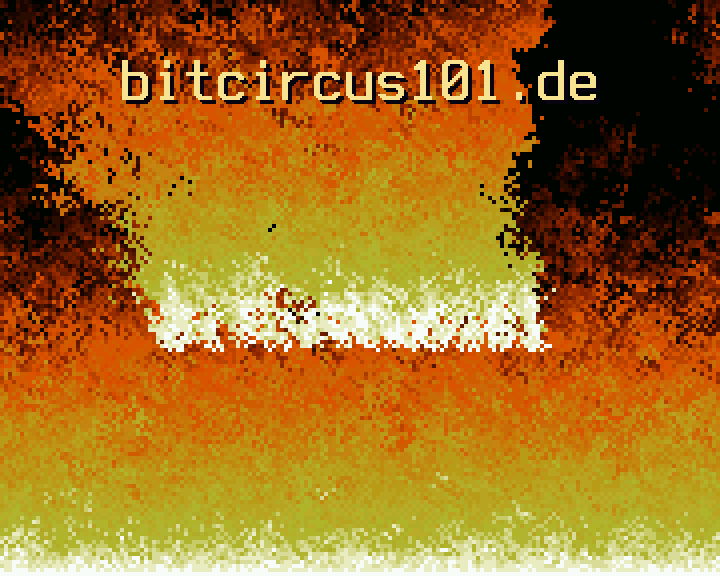
Particles. In the explosion every pixel of the title becomes a particle with a velocity and gravity. The title trembles, bursts outward behind a shockwave, the particles bounce off the floor, and then a spring pulls every one of them back to its place until the title stands again.
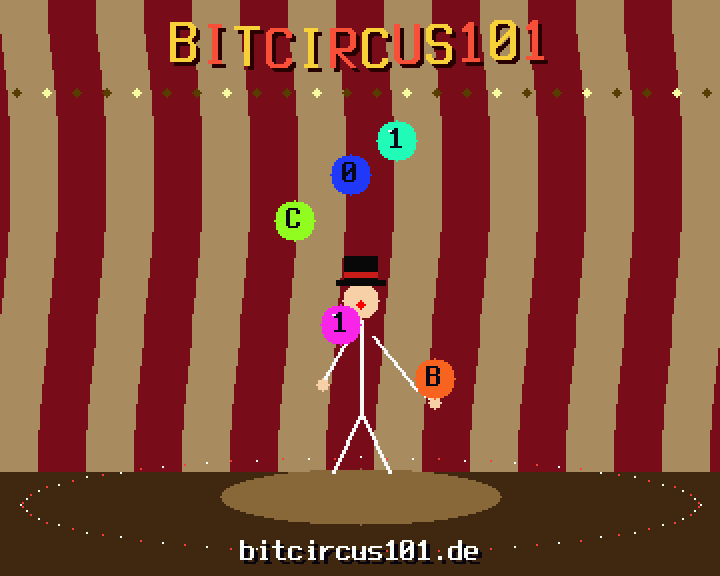
Juggling. A stick-figure clown juggles the letters B, C, 1, 0, 1 in a five-ball cascade under the big top. Every throw is a parabola, and the cascade is the classic pattern in which each hand throws to the other with the same timing, so the letters cross in the air.
Scenes with memory. The star field, the matrix rain,
the flowers and the explosion do not compute a picture from
t alone; they advance a state from frame to frame. Stars
accelerate and the camera rolls; drops of digital rain that cross the
hidden logo lock in place until "BC101" stands; flowers sprout and
bloom. This matters for the tools: a still of such a scene is only right
if every frame before it was rendered too.
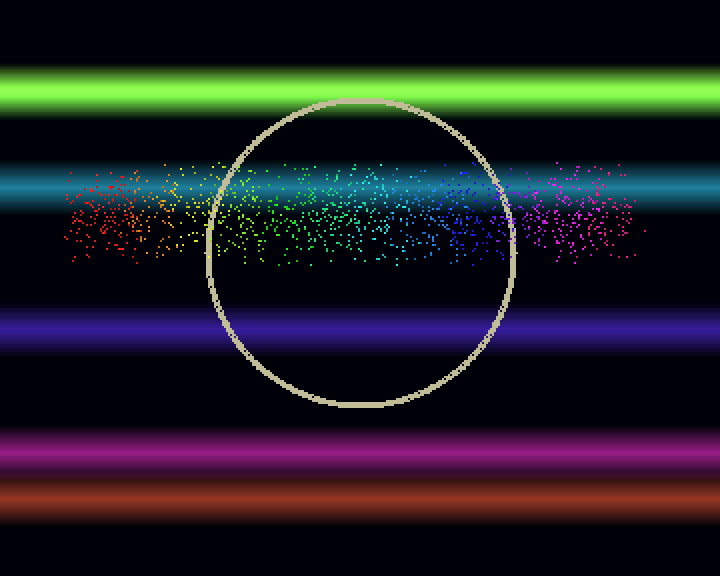
Raster bars and scrollers. The bouncing title over raster bars with a sine scroller along the bottom, and the rainbow that paints itself across the sky with the logo flying through on a trail, are the home computer heritage in its purest form: colour bars that move up and down, text that waves.
Fakes. The boot scene is a BIOS that types itself
out, counts memory, detects three clowns and five juggling balls and
loads CIRCUS.SYS. The glitch scene is a VHS and data
corruption look: an RGB-split logo, slices that tear, bursts of noise, a
URL typed out. The synthwave scene has a striped sunset, a scrolling
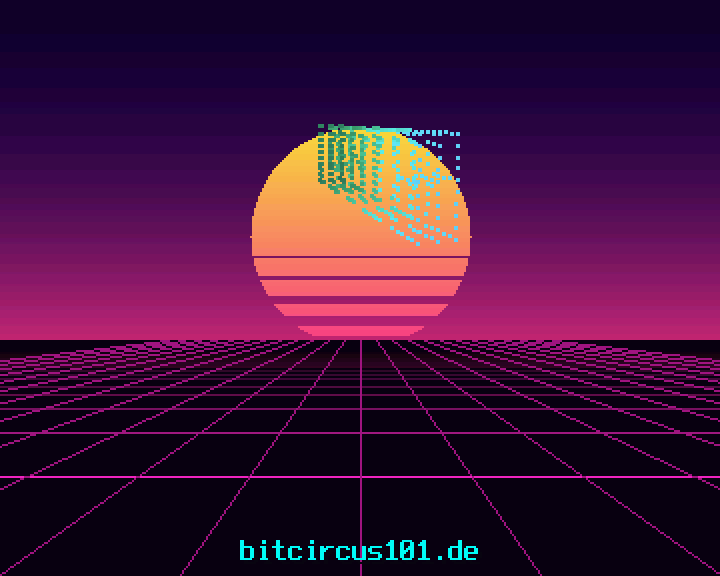
neon grid and a rotating point cloud that spells the name in 3D.
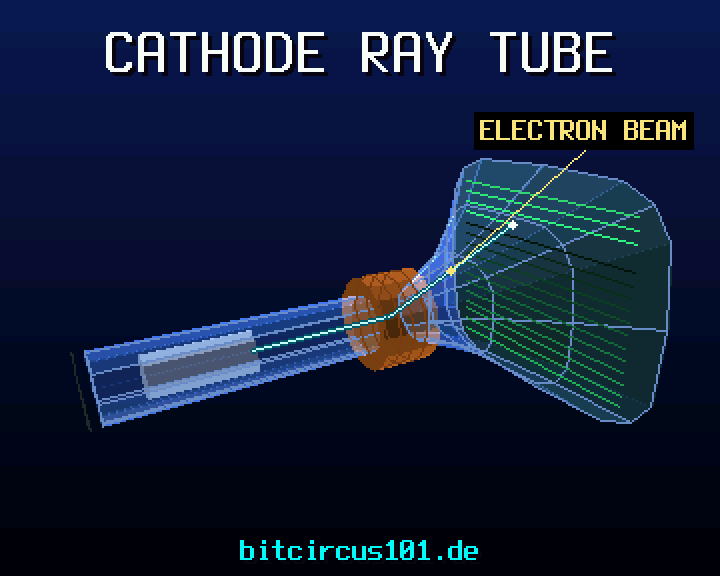
The cathode ray tube. The scene that explains the TV
it runs on draws a tube in 3D: flat-shaded polygons with a painter's
sort, an additive glass bell, labels on leader lines. The beam runs from
the gun through the deflection coils to the screen and scans a raster of
16 lines, three picture steps per line and six for the flyback, with an
afterglow that fades like phosphor. The camera moves in steps of 12.5
frames per second on purpose: that is the stutter of a 1990s rendering,
and underneath it the show keeps running at 50 Hz. All geometry is fixed
in world space and built in init().
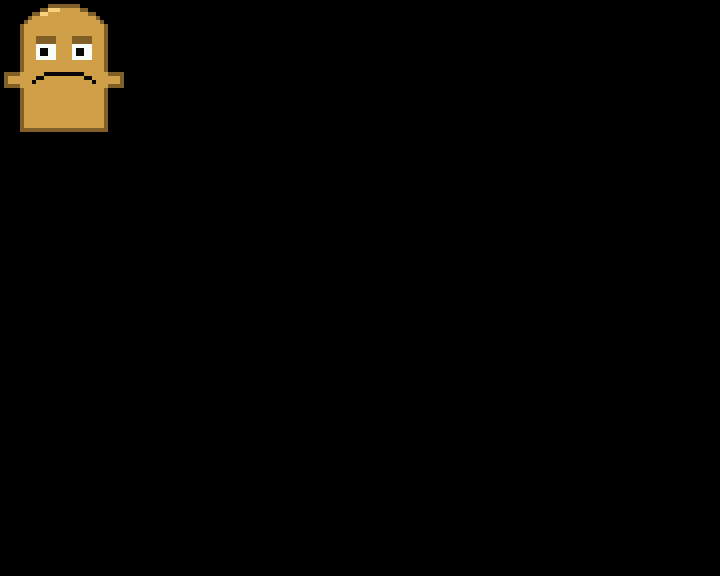
Bernd. Bernd das Brot bounces around the screen like the DVD logo, 115 pixels per second horizontally and 118 vertically, and changes to the next of eight colours at every wall. The crossing times, 2.6 s across and 1.9 s down, were chosen so that at t = 10.0 s he hits the top left corner exactly, pixel 0,0, the moment every viewer of a DVD screensaver has waited for.
5. Measurements on the Pi 1
The budget is 20 milliseconds per frame, and the Pi 1 has one core to spend it on; the program is the only thing drawing, but the kernel, the Wi-Fi stick and the occasional log line all share that core. Two instruments watch it.
The first is the log the sequencer writes on the Pi: average frames per second and the worst frame per scene, measured on the real hardware, with the real framebuffer blit included. The scene that explains the cathode ray tube, the heaviest in the loop, holds 50.0 fps in the running show. Measured next to the show on the same core with the bench tool, its frames take 9 to 13 ms, leaving room for the blit and the kernel.
The second instrument is build/preview ... bench, which
renders a given number of frames off-line and reports the average and
the worst. On a workstation its numbers say nothing about the Pi, they
are 20 to 50 times smaller, but as a ratio between two versions of a
scene they say everything: if a change doubles the frame time on the
Mac, it doubles it on the Pi too.
Two more numbers describe the program. The whole thing is about 2,500
lines of C that compile to a 95 KB executable linked against nothing but
the C library, the maths library and the Pi's memory routines. A full
build takes a little over a minute on the Pi 1; touching one scene
rebuilds in about six seconds, because make only recompiles
what changed.
6. The tool chain: seeing without a screen
The show was written over SSH by someone who could not look at the TV, and even the human who could was not always standing in front of it. So the project grew a set of tools that answer the question "what does this look like?" without a screen, and in the end these tools are what the project is about.
The offscreen renderer
build/preview links every scene without the framebuffer
and builds on Linux and macOS. It writes single frames as BMP for chosen
times, numbered frame sequences at a given frame rate, benchmarks a
scene, and probes it: for a list of times it prints where the pure white
pixels are, as a centroid, and the box around everything that is not
black. The centroid is enough to check that a marker moves the way it
should.
That last mode exists because of a bug that stills could not show. The beam in the cathode ray tube scene steps at 12.5 frames per second, and at one point its motion aliased against that stepping: every single frame looked right, and in motion the beam ran backwards. Only a series of centroids over consecutive steps revealed it. The lesson went into the README: stills miss motion bugs, probe positions over consecutive steps, and hash frames that must be identical.
The flipbook
A still is a claim; a flipbook is evidence.
tools/flipbook.py renders whole scenes at their native
stepping and bundles every frame into one HTML file, playable and
scrubbable, with a timeline, marks and notes per scene. The file loads
nothing from the net, not even a font, so it can be mailed or dropped
anywhere. It is standard-library Python only: the BMP frames are
converted to PNG with zlib and a hand-written chunk writer
and embedded as data URIs.
One detail shows how literal such tools have to be. The renderer samples each frame one millisecond after its nominal time, because a scene that steps at exactly the sampling rate, the tube at 12.5 fps, must not be sampled on its step boundaries, where floating-point rounding picks the previous step and the flipbook shows every frame twice.
Deploy that checks itself
The repository is the source of truth; the Pi only ever receives
copies. scripts/deploy.sh syncs the sources with
rsync and installs the systemd unit it renders itself, then
runs tools/install.sh on the Pi, which builds as the
service user, enables and restarts the service, and then watches it for
three seconds. If the show is not still running with the same process ID
after that, the deploy fails. A scene that crashes on the Pi but not on
the Mac is caught at deploy time, not the next morning.
The build itself learned a lesson the hard way. A reboot in the
middle of make once left a zero-byte object file with a
fresh timestamp; make took it for current and the link
failed with an undefined reference. Since then every target is written
to a temporary name and renamed, and .DELETE_ON_ERROR
removes half-written files when a recipe fails.
The show in the browser
The website runs the show with the real scene code. A small shim replaces the framebuffer with an RGBA buffer and the sequencer with four exported functions, Emscripten compiles the scenes, the fonts and the slide decks into a 121 KB WebAssembly module, and a page script copies each frame onto a canvas. The browser steps the show in fixed 20 ms ticks, whatever the display's refresh rate, so the scenes that build their state frame by frame look exactly as they do on the tube. A smoke test under Node plays one second of every scene and fails the build if one of them draws nothing.
Continuous integration
Every push builds the whole website on GitHub's runners with the same
make site a developer runs locally: the WebAssembly module,
both flipbooks, this paper as HTML and PDF, the figures. A full-history
secret scan and shellcheck over the scripts complete the
set. Pushes to main deploy to GitHub Pages.
7. The remote: a channel number for every scene
A show in a shared space needs a way to say "that one, now". The
remote control is the member-facing side of tvtv, and it is deliberately
not an app: it is ssh zapper@<the pi>. With a
terminal, that opens the zapper, a remote control drawn in text: LED
digits for the channel, the programme grid, a progress bar, the keys a
TV set would have. With a command it is one shot:
ssh zapper 7 holds channel 7, next skips,
auto returns to the loop, play testcard 30
shows something once. It works from a phone's SSH app as well as from a
laptop.
Every scene has a channel number: 00 is standby, a black picture that
keeps the service running; 01 to 17 are the loop in play order; 20 to 22
the extras; 30 and up are visuals, scenes that members upload.
Behind the numbers is a small control socket in the sequencer. Once per
frame it polls a Unix socket for a line of text and answers with
ok or err; status,
list and log read, tune,
play, next and auto change what
happens after the current fade. Nothing is interrupted mid-frame: a
change is a request that the sequencer honours at the next fade, so the
picture on the tube always looks intentional.
A visual is a scene like any other: a C file that defines
const Scene scene_<name>.
ssh zapper upload foo < foo.c sends it. On the Pi it is
checked (text, size, the definition), compiled with the show's flags,
and run offscreen through its whole length with the preview tool, so a
crash or an absurd frame time ends there and not on the tube. Then a new
binary is linked, the running show is asked to exec it
after its fade, and it carries its channel and mode across, so nobody in
the room sees a restart. If the new build does not answer within
seconds, the previous binary, kept as a hard link, goes back and systemd
restarts it. A compile error comes back to the uploader as the
compiler's own message.
Code from members is still code. The protection is not a filter over
the source but the box the show runs in. The service user
zapper has no shell: sshd's ForceCommand gives
every key exactly one program, a dispatcher that parses the command
against a whitelist of characters and words before anything else
happens, and keys carry a role, op zaps, admin
also uploads and deletes. The show itself runs as that user inside a
systemd sandbox: no network, a read-only file system including its own
directory, only the framebuffer and the console as devices, no way to
gain privileges, a syscall filter; systemd-analyze security
rates it 0.8 of 10. The dispatcher's own client, tvctl, is
built without scene code, so a visual that dies on start cannot take
down the hand that controls it. What an admin key means is therefore
exactly this: code runs as zapper, with those rights and no
others. The deploy path keeps the same promise in the other direction:
the unit file comes from the workstation, and the deploying login may
only build and sync as zapper plus a few fixed
systemctl commands, so nothing zapper can
write ever reaches root.
The one cost is CPU. The Pi has one core and the show wants all of it; an open SSH session spends some on encryption, and the zapper polls the show twice a second. A few long frames while someone is zapping are the price of the remote.
8. Making-of with an AI
The show was programmed by Claude, Anthropic's AI model, working over SSH from a Mac. It never saw the TV. A human in the space did: reported the black and white picture, the flicker, read the numbers off the test card, and said when something looked wrong. Everything else, the C code, the tools, the slides, the scripts, came out of that conversation.
Three things made this work, and they are the same three that make any remote graphics work manageable.
Build the eyes first. The preview tool, the probe and the flipbook came early and paid for themselves many times. An AI that can render a frame and measure where things are needs far fewer round trips through a human than one that has to ask "does it look right now?". The motion bug in chapter 6 was found by the probe, not by a person.
The device is the truth. Numbers from a workstation are a model of the Pi, not the Pi. Frame times are only real in the log on the hardware, the picture is only real on the tube, and a deploy only counts when the service is still up three seconds later. The tooling is built so that the cheap, local check comes first and the real check comes last, and neither is skipped.
One repository, plain files, small tools. Scenes are files with two functions. Slides are text. The flipbook spec is JSON. The tools are a C program and a Python script with no dependencies. Nothing here needs explaining twice, which matters when the collaborator forgets everything between sessions and reads the repository instead of remembering.
What this is not: a claim that the pictures are new. Plasma, tunnels, fire and particles are the demoscene's common inheritance, and the show says so on its own slides. What is new, or at least rare, is the combination: a 2012 single-core board driving a television in a form that does not flicker, a show that explains itself while it runs, a build in which no image file exists anywhere, and a toolchain that lets a programmer who cannot see the screen ship pictures to it with confidence.
9. Licences and thanks
The code is GPL-3.0-or-later; the texts, this paper, the slide decks and the flipbook notes are CC-BY-4.0, so they can travel into talks, articles and newsletters with an attribution to bitcircus101. The letters are Terminus by Dimitar Zhekov, which the website bundles under the SIL Open Font License 1.1. The fire follows the PlayStation Doom effect as described by Fabien Sanglard. The rest is the demoscene's, with thanks.
Source, slides and tools: https://github.com/bmmmm/tvtv. The show, the flipbook and this paper: https://bmmmm.github.io/tvtv/.
created with ♥ in bitcircus101 · assisted by Claude